---
title: "Prompt Templates"
description: "Ships with five built-in templates like Fix Grammar and Summarize. Create custom templates or define team-wide presets via config."
canonical_url: "https://kirby.tools/docs/copilot/prompt-dialog/templates"
---
# Prompt Templates
> Ships with five built-in templates like Fix Grammar and Summarize. Create custom templates or define team-wide presets via config.
Templates for user prompts can be shared between both the [view button](/docs/copilot/usage/view-button) for multi-field generation and the [toolbar buttons](/docs/copilot/usage/toolbar-buttons) for inline text generation.
## Default Templates
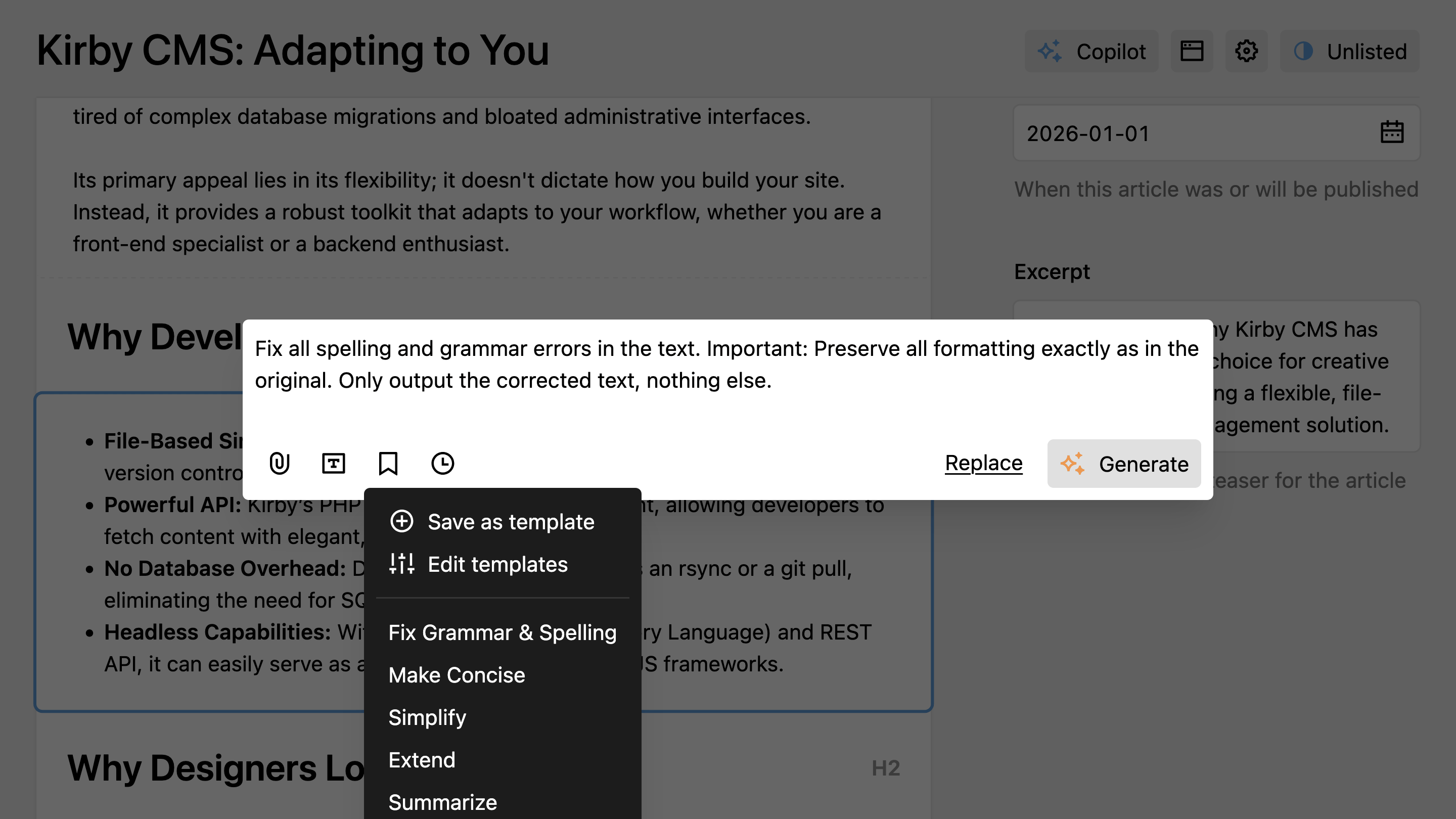
Kirby Copilot includes five built-in prompt templates that cover common text generation tasks. They can be selected from the templates dropdown in the prompt dialog.
- **Fix Grammar**: Correct grammar and spelling errors
- **Make Concise**: Shorten text while preserving meaning
- **Simplify**: Rewrite in simpler language
- **Extend**: Expand on the existing content
- **Summarize**: Create a brief summary
Default templates are automatically displayed in the Panel user's language. Supported languages include English, German, French, and Dutch. If a user's language is not supported, templates fall back to English.
## Managing Prompt Templates
Click the bookmark icon in the prompt dialog to open a dropdown menu. From here, you can select **Save as template** to store the current prompt, or choose one of your existing templates to apply it.
To organize your templates, select **Edit templates** from the dropdown. This opens a nested dialog where you can add new templates, rename existing ones, reorder them by dragging, or delete prompts you no longer need.
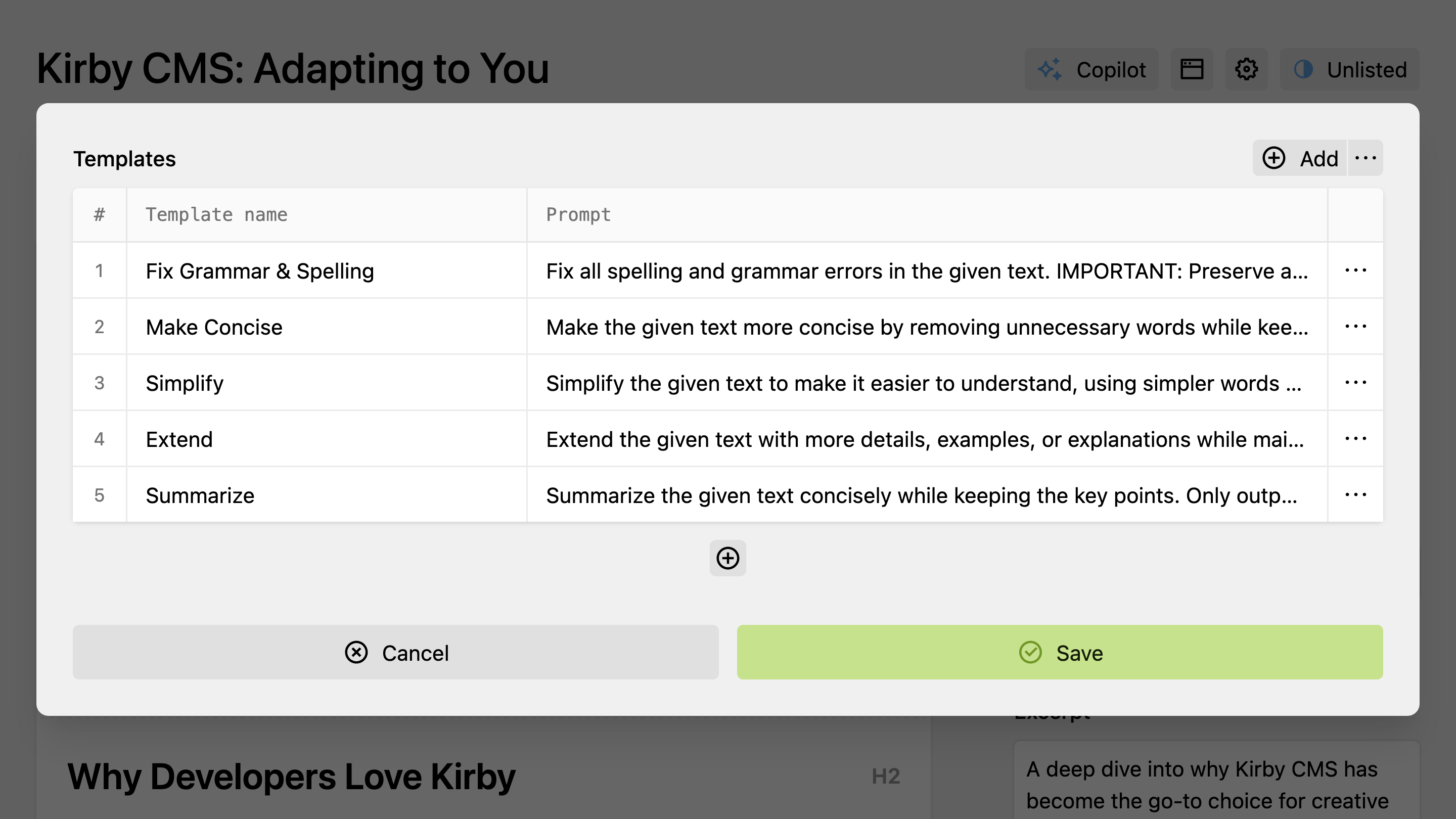
Templates are saved in the browser's local storage and are specific to each user and device.
## Config-Defined Templates
You can predefine prompt templates in your Kirby config that appear for all Panel users. This is useful for editorial teams that need consistent prompts across all editors, such as applying house style guidelines or formatting conventions.
```php [config.php]
return [
'johannschopplich.copilot' => [
'promptTemplates' => [
[
'label' => 'Apply House Style',
'prompt' => 'Format the text according to our editorial style: artist names in bold, album titles in italics, use curly quotation marks.'
],
[
'label' => 'Add Spotify Links',
'prompt' => 'Find all album titles in the text and wrap them in Markdown links to their Spotify pages.'
]
]
]
];
```
```php [config.php]
return [
'johannschopplich.copilot' => [
'promptTemplates' => [
[
'label' => [
'en' => 'Apply House Style',
'de' => 'Redaktionsstil anwenden'
],
'prompt' => [
'en' => 'Format the text according to our editorial style: artist names in bold, album titles in italics, use curly quotation marks.',
'de' => 'Formatiere den Text nach unserem Redaktionsstil: Künstlernamen fett, Albumtitel kursiv, typografische Anführungszeichen verwenden.'
]
]
]
]
];
```
Config templates appear first in the dropdown as read-only entries. They replace the built-in defaults, but any templates users have already saved remain intact and editable.
Prompt templates are complete prompts you invoke as a unit. For reusable behaviors that compose with any prompt, see **Skills**.
---
Every page of this site as Markdown: