---
title: "Introduction"
description: "One-click translation in the Kirby Panel – DeepL, AI providers via Kirby Copilot, or your own backend."
canonical_url: "https://kirby.tools/docs/content-translator/getting-started"
---
# Introduction
> One-click translation in the Kirby Panel – DeepL, AI providers via Kirby Copilot, or your own backend.
Kirby Content Translator is a plugin for [Kirby CMS](https://getkirby.com) that adds a translation button to any page, file, or site blueprint. Translate with [DeepL](https://www.deepl.com) or [Kirby Copilot](/copilot) for AI – the same pipeline runs from PHP and the CLI for hooks, custom controllers, and batch jobs.
## Key Features
- 🖱️ **One-Click Translation**: View button in any page, file, or site blueprint.
- 📦 **Batch Translation**: All secondary languages at once, from the default.
- 📄 **All Content Types**: Pages, files (metadata), and site content.
- 🧩 **Blueprint-Aware**: Walks `blocks`, `layout`, `structure`, `object`, and nested fields. `translate: false` is respected at any depth.
- 🏷️ **KirbyTags**: Translate tag attributes selectively – URLs and UUIDs preserved.
- ⚡ **PHP API**: Drive translations from CLI or custom workflows – see [PHP classes](/docs/content-translator/php-classes).
- 🪝 **Hooks**: `before`, `after`, and `warning` for preprocessing, postprocessing, and observability.
- 🔌 **Pluggable Strategies**: DeepL, [AI via Copilot](/docs/content-translator/providers/ai-translation), or your own [custom strategy](/docs/content-translator/providers/custom-translator).
## How It Works
Add the `content-translator` Panel view button to your blueprints. The button adapts to the current language context:
- In secondary languages it offers an **Import** action (copy content from the default language) and a **Translate** action (send the current content through the configured provider).
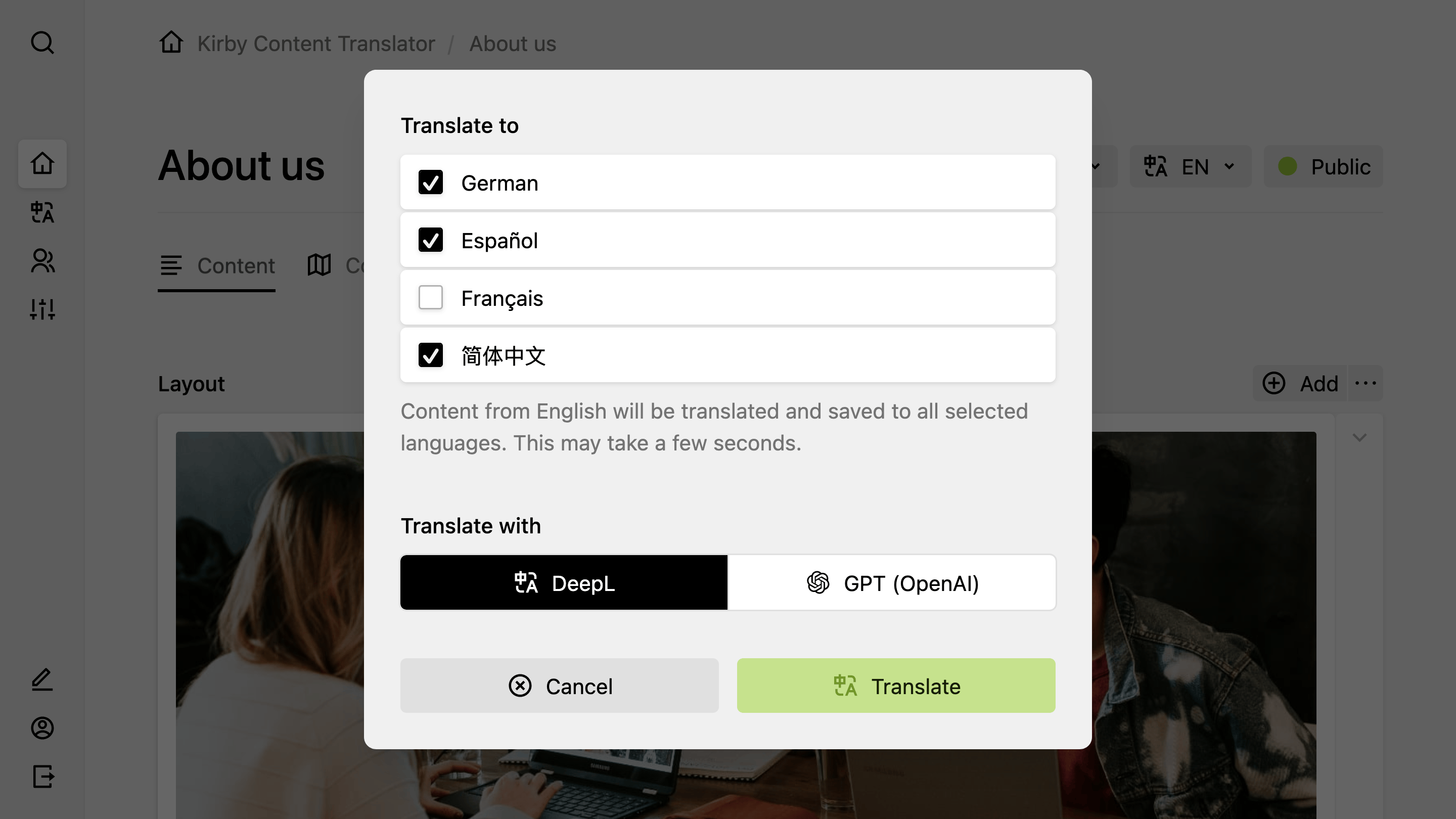
- In the default language it offers a ** → All Languages** batch action that translates into every other configured language at once.
Per-language translation writes to the view you're looking at, so you can review and undo it. Batch translation writes to every selected language at once and is not reversible from the Panel – reach for it on initial setup, and for the per-language action when fine-tuning.
## Translation Providers
Industry-leading machine translation with a free tier available.
Context-aware translation via the [Kirby Copilot](/copilot) plugin (OpenAI, Anthropic, Google, Mistral).
Plug in any translation API via a closure or a custom `Strategy` implementation.
When Kirby Copilot is installed alongside DeepL or a custom strategy, a dialog lets editors choose the provider per translation.
## Get Started
Install the plugin, configure DeepL, and start translating content in minutes.
---
Every page of this site as Markdown: